Put your fridge
on your phone.
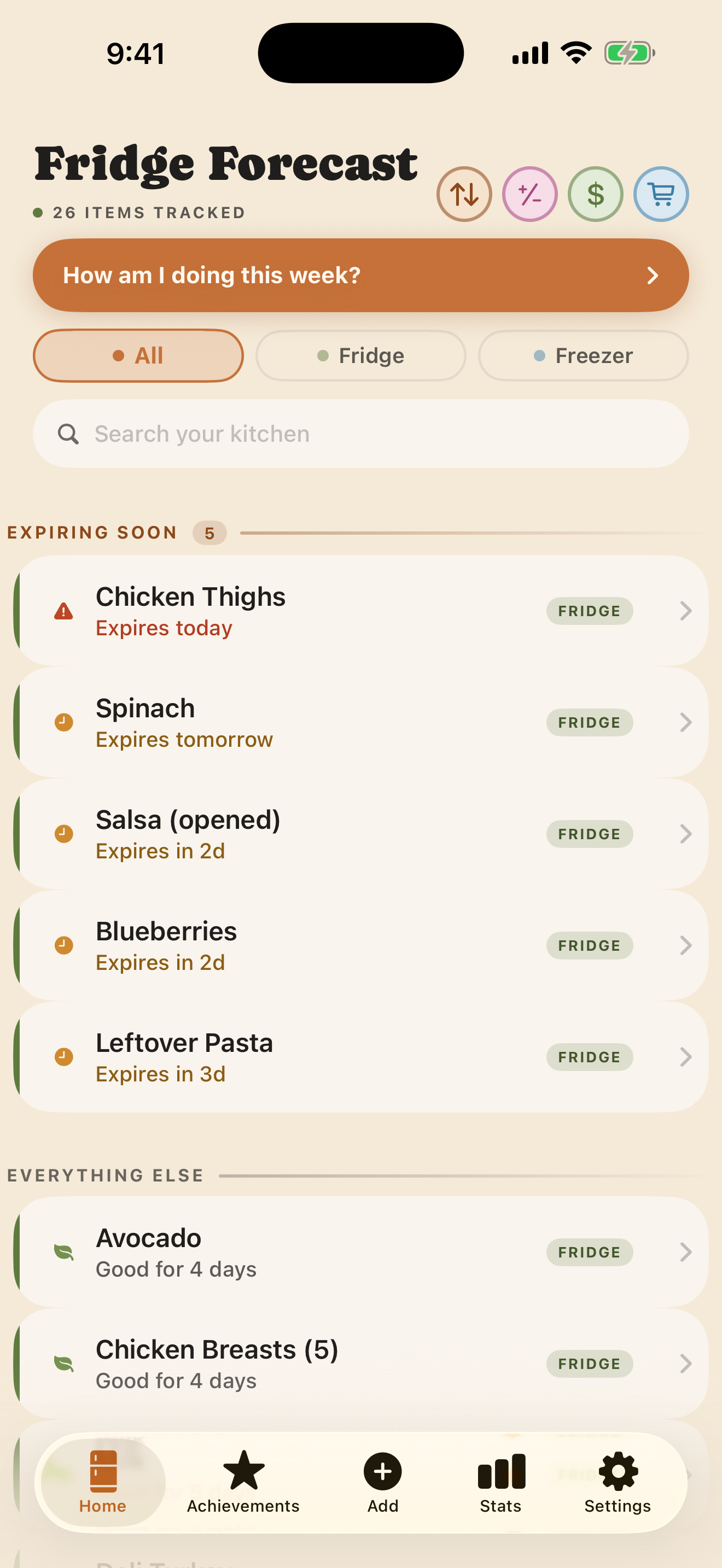
Fridge Forecast helps you use food before it goes bad. The beta is free to try on iPhone through Apple's TestFlight app.
Join the public betaOpens Apple TestFlight↗No Fridge Forecast account · No analytics · Household sharing is still in testing
How to install it
You only need Apple's free TestFlight app and the invitation link. Fridge Forecast itself has no sign-up.
- 1
Open the invitation
Tap the orange button on this page. Apple's Fridge Forecast invitation will open.
Open invitation ↗ - 2
Get TestFlight
If it is not already installed, tap View in App Store and download Apple's free TestFlight app.
- 3
Accept and install
Return to the invitation, tap Start Testing or Accept, then tap Install.
- 4
Add three things
Open Fridge Forecast and follow the short introduction. Scan, speak, photograph, or type three things to see the point in about a minute.
We'll help you in.
If the invitation says the beta is full, the build is unavailable, or anything else gets in your way, email support@fridgeforecast.com.